Video Downloader & Player HD
Video Downloader- Apps StudioMusic & Audio
4.74.00 Reviews
- Version
- 03-22.08.2026
- Installs
- 100.00K
- Age Rating
- Teen
Screenshots
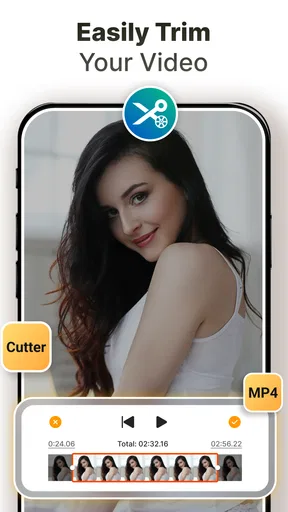
Our Review of Video Downloader & Player HD
 Analysis by Appyee
I found Video Downloader & Player HD most useful as a practical media utility rather than a complete replacement for a dedicated music player or a full video-editing suite. It brings several related jobs into one place: saving HD videos for offline viewing, converting video sound into MP3 files, and trimming clips. That combination makes sense for people who regularly move between watching, listening, and preparing short pieces of media.
My overall impression is positive, but it depends heavily on what you expect from it. If you want a straightforward way to handle personal video files and create audio extracts or shorter clips, the app feels focused and convenient. If you are looking for a polished streaming service, a large music library, advanced editing controls, or a carefully organized media-management system, I would look elsewhere.
What the app is really good at
The strongest part of this Music & Audio app is the way its main tools connect. Instead of opening one application to save a video, another to extract its audio, and a third to cut a section, I can keep the basic workflow together. That matters most when the task is small and immediate, such as preparing a short audio reminder, saving a tutorial for a trip, or trimming a long recording before sharing it.
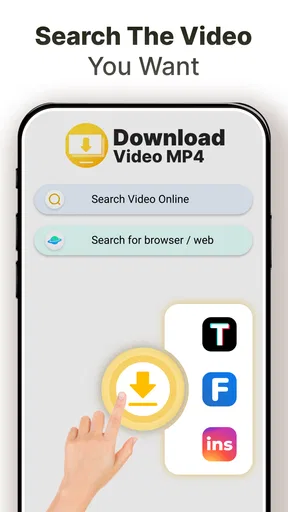
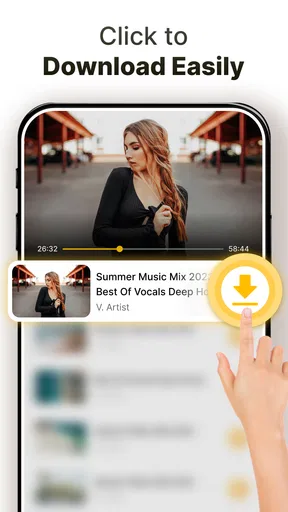
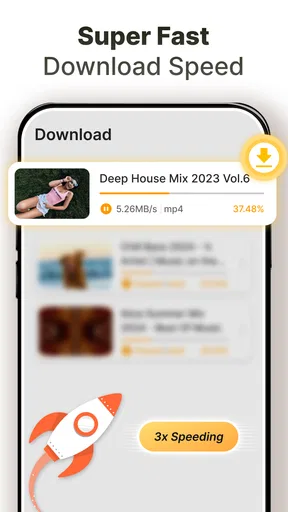
The store summary highlights fast HD video downloads, offline saving, video-to-MP3 conversion, and clip cutting. In daily use, those capabilities are more valuable when treated as separate steps rather than as one grand media system. I would first save the source video, then decide whether I need the complete file, an audio version, or a shorter segment. This simple order avoids creating unnecessary copies and makes the result easier to find later.
One useful habit is to decide the final purpose before converting anything. For listening, MP3 is the logical choice because it removes the video component. For watching a lesson or reference clip, keeping the video is better. For sharing a memorable section, trimming first can reduce clutter and make the file more practical. The app’s appeal is that these choices can happen in the same workflow instead of sending me through several unrelated tools.
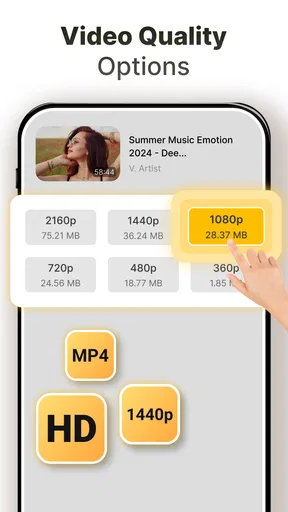
The HD focus is also helpful when the original material needs to remain clear enough for viewing. I would not treat the label as a guarantee that every source will look identical after saving, because the result still depends on the material being handled and the selected output. Still, the app is clearly aimed at people who do not want an unnecessarily poor copy when a higher-quality version is available.
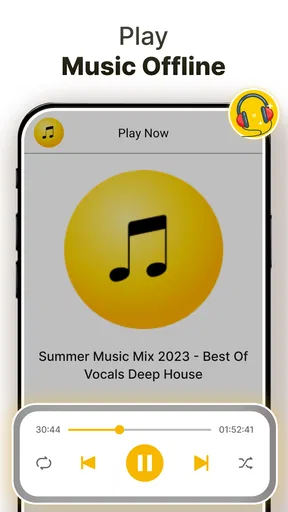
Another strength is its offline orientation. Saving a file for later can be useful on a commute, during travel, or in a place where the connection is unreliable. I especially like this approach for instructional content that I may need to revisit without spending time searching for it again. The practical benefit is not just avoiding buffering; it is having a local file ready when the original source is inconvenient to reach.
A workflow that makes the tools more useful
A realistic example would be preparing material for a long journey. I might save a few legitimate video files before leaving, keep the full versions for visual reference, and convert selected items to MP3 when I only need to listen. If one recording contains a section I want to replay, I can cut that portion rather than repeatedly searching through the entire file. This is a small workflow, but it shows why the combination is more useful than a downloader alone.
For short clips, I would make the cut with a clear purpose. A short excerpt for personal reference should begin slightly before the important moment and end just after it, rather than cutting tightly around a single word or frame. That gives the result enough context and makes it easier to understand later. The trimming tool is most appealing for these quick edits, not for detailed production work involving multiple tracks, transitions, captions, or complex timing.
The MP3 option can also help when the visual part of a recording is no longer necessary. A spoken explanation, interview, or music performance may be easier to revisit as audio. The trade-off is obvious: once the video is converted, visual information disappears. I would keep the original until I am sure I will not need diagrams, demonstrations, lyrics, or on-screen instructions.
That leads to one of my more important tips: do not convert immediately when storage is not a problem. Keep the source video, listen to the MP3, and delete the larger file only after checking that the audio version serves the purpose. This is especially useful for educational or instructional material, where a visual detail can matter even if the first listening session feels sufficient.
What the interface needs to get right
For an app built around downloads and conversions, clarity is more important than decoration. I want to know which file is the original, which one is the converted result, and which one is the trimmed clip. A crowded file list can quickly become confusing, particularly when several outputs have similar names. My advice is to process one source at a time and rename or organize results as soon as the task is complete, if the device’s file tools allow it.
It is also worth checking the output before sharing it. A quick playback confirms that the video opens correctly, the audio contains the expected section, and the clip begins and ends where intended. This takes only a moment but prevents the common frustration of discovering an incomplete conversion after leaving the app.
The app is free to install, which makes it easy to try without committing money at the start. It includes in-app purchases priced at under two dollars per item, so I would pay attention to any optional purchase screen and decide whether the extra value fits my use. For occasional downloads or a few personal conversions, the free entry point may be enough. Frequent users should consider the cumulative cost of optional items rather than assuming every tool will remain entirely without charge.
Video Downloader- Apps Studio is the developer behind the app. Its current version is 03-22.08.2026, and it runs on Android eight or newer. That broad operating-system compatibility makes it accessible to people using older supported devices, although performance can still vary with available storage, device speed, and the size of the media being processed.
The limitations I would take seriously
The biggest limitation is scope. Video Downloader & Player HD is not the same thing as a subscription music platform, a cloud library, or a professional editor. It helps handle media that I already have access to, but it does not replace the discovery, playlists, recommendations, and licensed catalogs that people expect from mainstream streaming services. Someone whose main goal is finding new music will probably be happier with a dedicated music service.
The same distinction matters for editing. Cutting a clip is useful, but it should not be confused with a full timeline editor. If I needed layered sound, visual effects, detailed transitions, subtitles, or precise production controls, I would choose a specialized video editor. This app makes sense when the edit is a simple beginning-and-ending decision, not when the project has multiple creative layers.
Download convenience also requires sensible judgment. I would use the app with material I am allowed to save, convert, or edit. A tool that makes media handling easier does not automatically grant permission to copy every video or redistribute it. This is an important practical boundary, especially when a file belongs to another creator or is protected by a service’s terms.
Storage is another consideration that is easy to overlook. HD video files can become large, and keeping both the original video and an MP3 version increases the amount of space used. I would avoid downloading everything at the highest available quality simply because the option exists. For spoken content, a smaller practical file may be sufficient; for visually detailed material, higher quality may be worth retaining. The right choice depends on whether I prioritize clarity, storage, or portability.
Offline access is helpful, but it also creates a maintenance task. Saved files can become difficult to manage when there are many of them. I recommend using a simple naming pattern based on the subject and purpose, then removing failed conversions and duplicate outputs promptly. Without that habit, the app can become a temporary folder filled with files I no longer recognize.
Who should use it and who should skip it
I would recommend this app to someone who wants a compact toolkit for personal media handling. It is a good fit for people who save reference videos, listen to audio extracted from video, prepare short clips, or need offline copies for situations with an inconsistent connection. Students, commuters, travelers, and casual creators may appreciate the convenience, provided their intended use follows the rights attached to the material.
It is also suitable for a user who prefers a direct workflow over a collection of specialized apps. The benefit is not that every tool is the most advanced in its category; the benefit is that the everyday sequence is shorter. I can move from video to audio or from full recording to selected clip without learning several separate interfaces.
I would skip it if my priority is a broad music catalog, automatic recommendations, synchronized playlists, or a premium listening experience. I would also skip it for serious editing projects. In those cases, a streaming service or dedicated editor will provide a better-designed experience, even if that means using separate tools.
People who are uncomfortable managing local files may find the app less satisfying than a service that organizes everything automatically. The more control an app gives me over saved media, the more responsibility I have to keep the collection tidy. That is not a flaw unique to this product, but it affects whether the workflow feels convenient or like extra housekeeping.
How it compares with usual alternatives
Compared with a conventional music player, this app is more useful before playback rather than during it. A music player is usually better for browsing an organized library and listening continuously. Video Downloader & Player HD is more useful when the source begins as a video and I want to save, convert, or shorten it first.
Compared with a standalone video downloader, its advantage is the extra handling after the file is saved. I do not have to stop at downloading if my next step is extracting sound or cutting a section. The trade-off is that a specialized downloader may offer a more focused experience for users who only save videos and never touch the conversion or trimming tools.
Compared with a dedicated converter, the app is convenient for occasional jobs because conversion is part of a broader workflow. A specialist tool may be preferable for people who process many files, need detailed format controls, or want a more technical batch-oriented setup. For ordinary personal tasks, keeping the process compact is the more appealing choice.
Finally, compared with a professional editor, this app wins on simplicity and loses on depth. That is a fair trade when I only need a clean excerpt or an audio copy. It becomes the wrong choice as soon as the project requires creative assembly rather than basic preparation.
My final recommendation
Video Downloader & Player HD earns its place as a practical Android utility because its features complement one another. The app is free to start, has a 4.7 average from roughly 4.9 thousand ratings, and has passed the one-hundred-thousand-install mark, which suggests that its straightforward concept has found an audience. Its Teen content rating is also worth noting for households choosing apps for younger users.
Those figures are not a substitute for trying the workflow yourself, but they match my view of the product: it is approachable, useful, and narrower than its broad feature list might first suggest. The most satisfying experience comes from using it for a defined task, such as saving a legitimate video, turning a lecture into audio, or cutting a short reference clip.
My recommendation is clear: choose it for simple offline media preparation, not for streaming discovery or advanced editing. Keep the original files until conversions are checked, manage storage deliberately, and use only material you are permitted to handle. With those expectations, Video Downloader & Player HD is a handy all-in-one option for everyday video and audio chores rather than an overloaded replacement for every media app on the phone.
Verdict
Strengths of Video Downloader & Player HD
- Supports downloading videos for offline playback.
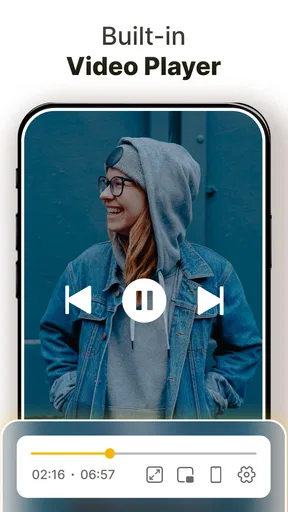
- Built-in player handles common video formats smoothly.
- Simple interface makes saving videos quick and easy.
- Background downloading helps keep the app usable while waiting.
- Useful file management tools for organizing saved videos.
Limitations of Video Downloader & Player HD
- Some websites may block downloads or limit available video quality.
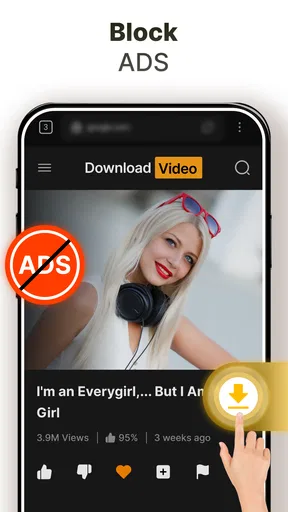
- The app may display frequent advertisements in the free version.
- Downloaded files can consume storage quickly, especially in HD.
- Certain features may require in-app purchases or a premium upgrade.
- Downloading copyrighted content may violate local laws or platform rules.
Similar Picks in This Category
View All
YouTube Music
Google LLC4.4

Samsung Music
Samsung Electronics Co., Ltd.3.8

Spotify: Music and Podcasts
Spotify AB4.3

JioSaavn - Music & Podcasts
Saavn Media Limited4.3

Lark Player:Music Player & MP3
Lark Player Studio - Music, MP3 & Video Player4.6

StarMaker: Sing Karaoke Songs
SKYWORK AI PTE. LTD.4.3
Frequently Asked Questions
What is Video Downloader & Player HD used for?
Video Downloader & Player HD is designed to help users save and watch supported video files directly on their mobile devices. It generally combines downloading and playback tools in one app, making it convenient to organize videos for later viewing. Before downloading, users should check which websites and video formats are supported, since availability can vary by platform, source, and local restrictions.
Can Video Downloader & Player HD download videos from any website?
No, users should not assume that every website or online video service is compatible. Downloading normally depends on how the source delivers its content and whether the app supports that particular website or format. Some platforms also block downloads or restrict saving copyrighted material. It is important to use the application only with content you own, have permission to download, or that is legally available for offline use.
Does the app support offline video playback?
The main benefit of Video Downloader & Player HD is the ability to watch downloaded videos without an active internet connection. After a file has been saved successfully, it can usually be opened through the app’s built-in player whenever needed. Playback quality will depend on the original file, device performance, supported codecs, and available storage space, so not every video will play identically.
Is Video Downloader & Player HD free to use?
The app’s pricing and included features may depend on the version available through the Android or iOS store. Some versions of video downloader applications are free but may contain advertising, optional purchases, or premium features such as an ad-free experience and additional download controls. Users should review the store listing carefully before installing and check whether subscriptions or in-app purchases are offered.
Is it safe and legal to download videos with this app?
Using the application is generally safest when it is downloaded from an official app store and kept updated. However, safety also depends on the websites visited and the files downloaded, so users should avoid suspicious links and unknown content. Legally, downloading videos may be restricted by copyright, terms of service, or regional regulations. Always respect the creator’s rights and obtain permission when required.
